Rosetta OS Hex Girl badge

Roland OCTA-CAPTURE Mod: Rosetta OS custom firmware

Free custom firmware for the Roland OCTA-CAPTURE (UA-1010) USB audio interface, built from Roland's own v1.51 update. Running on real units: a new boot screen, a channel strip on all 8 inputs, a guitar amp in the unit's own DSP (no PC delay) and the Rosetta Octa Control PC editor.

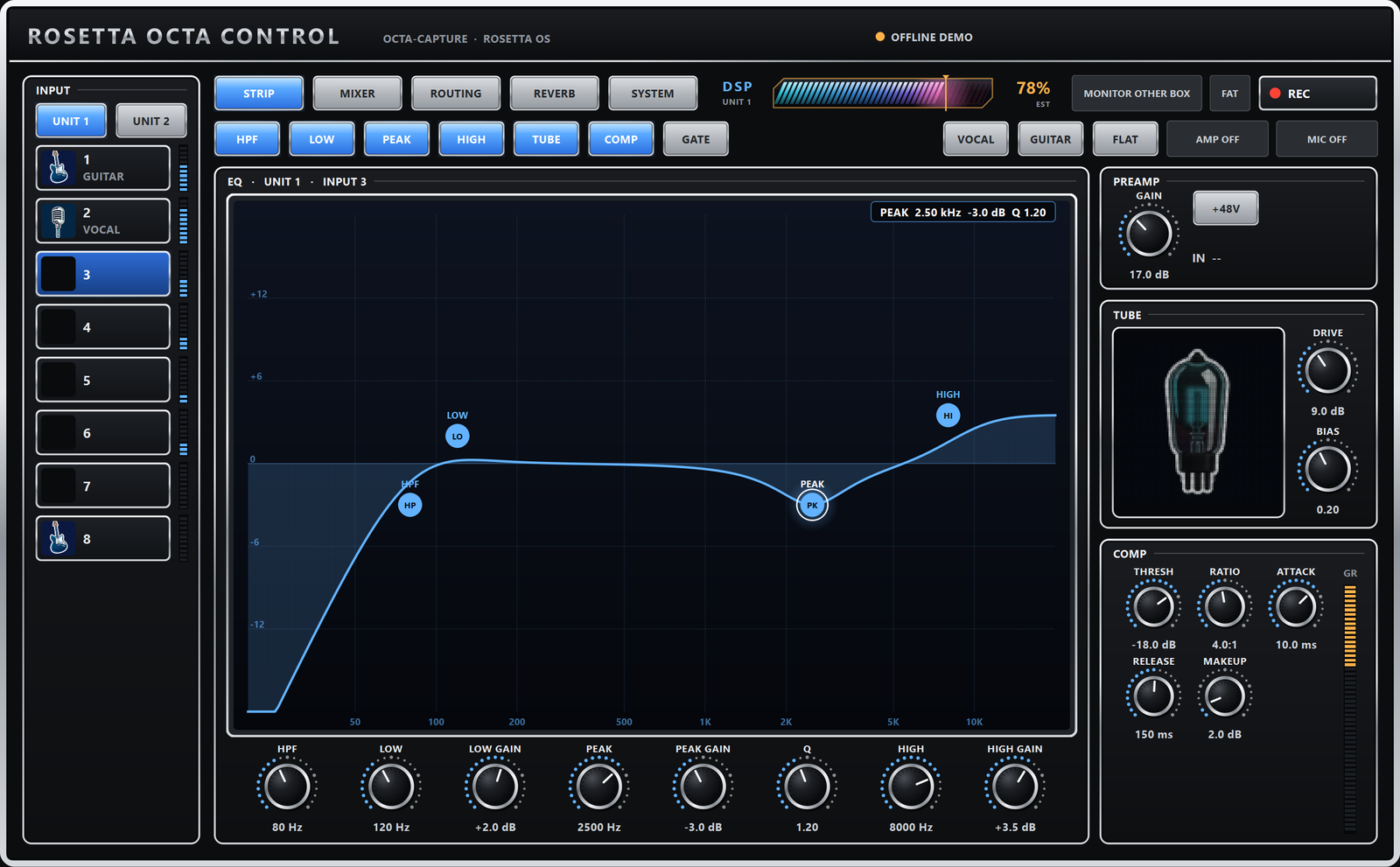
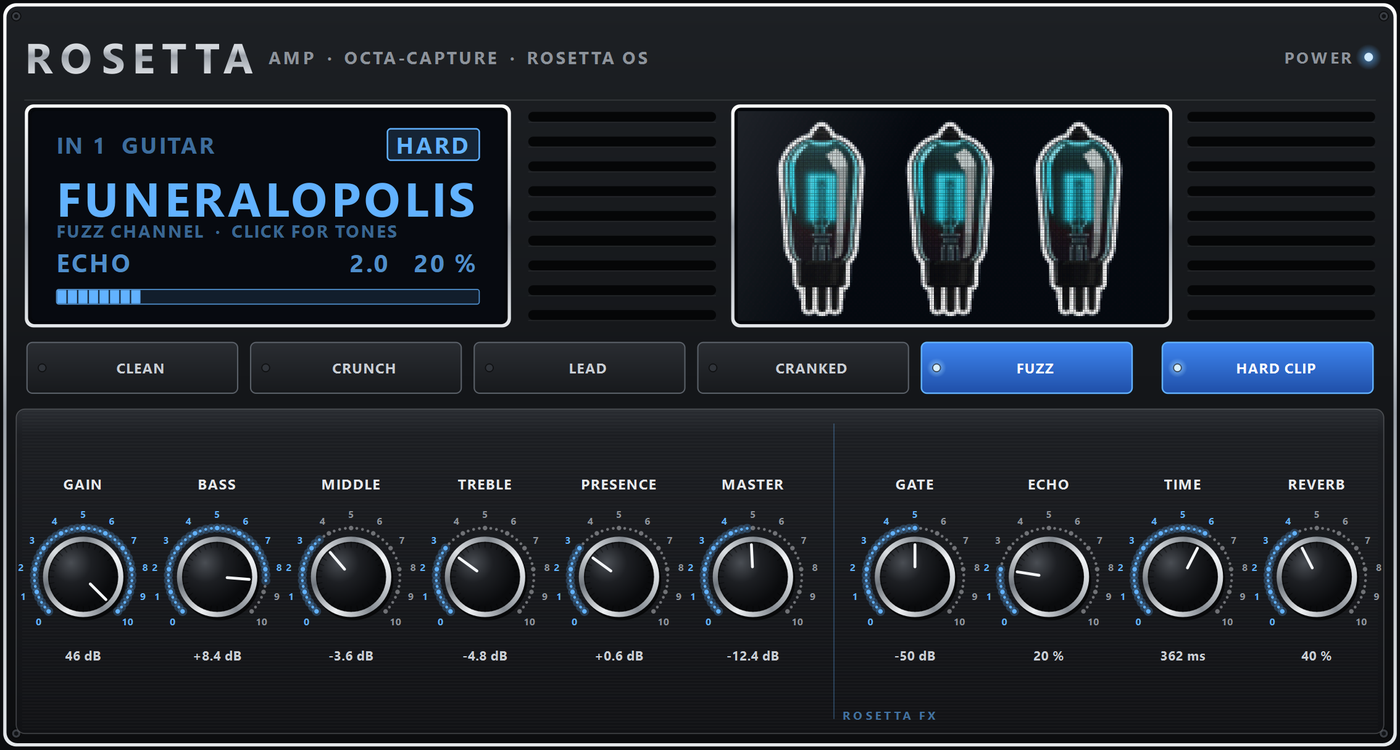
The OCTA-CAPTURE's 128x64 LCD showing the Rosetta boot screen: Hex Girl peeking over the word ROSETTA Rosetta Octa Control: PC editor for the OCTA-CAPTURE with named inputs, a draggable EQ curve, tube and compressor Rosetta amp head: FUNERALOPOLIS fuzz tone with gain, tone and ROSETTA FX knobs

What works, what's next

on hardwareRosetta boot screenHex Girl peeking over ROSETTA on the 128x64 LCD, with the boot bar along the bottom.
on hardwareUpdate-file toolsUnpack, patch and repack UpdOcta.dat with correct checksums. The boot screen was flashed with them.
testedOne-command buildFrom Roland's own zip to a checked UpdOcta.dat, byte-identical to the build tested on a real unit.
on hardwareChannel strip, all 8 inputsGain, high-pass, tube, low/peak/high EQ and comp per input, each with its own settings. Measured by loopback against the maths.
on hardwareGuitar amp in the DSPTwo gain stages, tone stack and speaker, CLEAN to FUZZ, no PC delay. Six factory tones (HOLY WARS, FUNERALOPOLIS, SABBATH ...) plus your own.
on hardwareRosetta Octa ControlPC editor in the unit's look: drag the EQ, amp head, named inputs, one-tap REC for two boxes, a live DSP bar. Touch-friendly.
on hardwareLab and CPU-load meterRead, write and run code on the live unit over USB-MIDI, and see how much DSP is free.
built, testingGate, echo, reverb, hard clipNoise gate that opens on the same sample, echo up to 1.36 s and reverb, with the dry sound kept on time. Host-tested, next on hardware.
built, testingScenes on the boxPress DISPLAY for a bank of 16 whole-box scenes; the current sound comes back after a power cut.
plannedSolo mode and clip guardSolo mode: fewer channels, bigger effects. Clip guard, in place of AUTO-SENS: the preamp steps down near clipping while the monitor level stays put.

Build and flash

  1. Download Roland's OCTA-CAPTURE System Program Ver.1.51 (octa_sys_v151.zip) from Roland's support site.
  2. Run python tools/build_rosetta.py octa_sys_v151.zip. It writes and checks UpdOcta.dat.
  3. Hold [▶] in the PRE-AMP section and push the CURSOR/VALUE knob while powering on.
  4. Copy UpdOcta.dat onto the disk that appears, once, then unplug USB and let it write.

Before copying: the updater screen must not show [ALL]. Keep Roland's original UpdOcta.dat: flashing it the same way takes the unit back to stock. Full steps and recovery are in FLASHING.md.

Under the hood

The OCTA-CAPTURE runs on one Analog Devices Blackfin DSP (a BF52x). Its compressors, mixers, reverb and USB audio are all software on that chip.

The update file is 1 MB and maps 1:1 onto the unit's flash. The code is packed with LZSS whose history ring starts full of zeros, not spaces. Each region ends with a 16-bit byte-sum checksum that the boot code checks at every power-on.

The checksum notes and the flash safety map have the details.